Trade Window
Open from Toolbox Trade or /show trade . Per-window options live under Settings Trade .
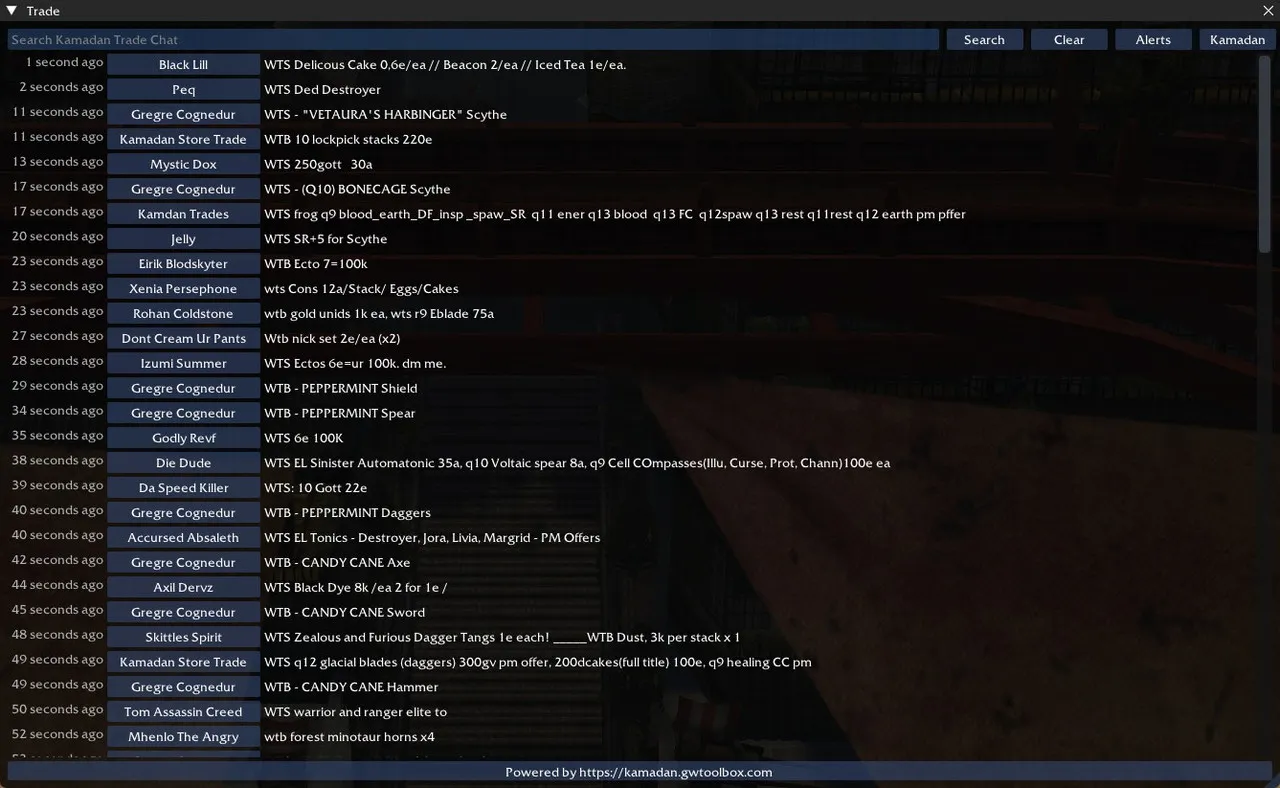
The Trade window displays a live feed of trade chat from either Kamadan, America English district 1 or Pre-Searing Ascalon, America English district 1.
Main Features
- Live Feed: Displays real-time trade messages from the selected location.
- Search: Filter messages by keywords.
- Whisper: Click on a trader’s name to open a whisper chat with them.
- Time Stamps: Shows how long ago each message was posted (when window width allows).
- Switch Locations: Toggle between Kamadan and Pre-Searing Ascalon trade chats.
Search
The search bar at the top allows you to filter messages by keywords. Click “Search” or press Enter to apply the filter. Use “Clear” to remove the filter and show all messages.
Alerts
The “Alerts” button opens a new window with additional options:
- Redirect Trade Chat: Send trade messages to your in-game trade chat channel.
- Filter Alerts: Only show messages containing specific keywords.
- Local Trade Filter: Apply trade alerts filter to local trade messages.
Alert Keywords
In the Alerts window, you can set up keywords for filtering trade messages. Each line represents a separate keyword (not case-sensitive).
A line wrapped in slashes is treated as a regular expression instead of a plain keyword, e.g. /(wtb|wts).*ecto/. Flags go after the closing slash — matching is case-insensitive unless you add I. The same syntax works for the party search alerts and for loot beacon name rules.
Seek Party
When in Kamadan or Pre-Searing Ascalon, you can use the “Seek Party” feature to advertise your party search:
- Enter your message in the text field.
- Select the search type (e.g., Trade, Mission, etc.).
- Check the “Seek Party” box to start advertising.
Additional Information
- The window automatically connects to the trade chat server when opened.
- You can switch between Kamadan and Pre-Searing Ascalon trade chats using the button in the top-right corner.
- The footer provides a link to the source website powering the trade chat feed.